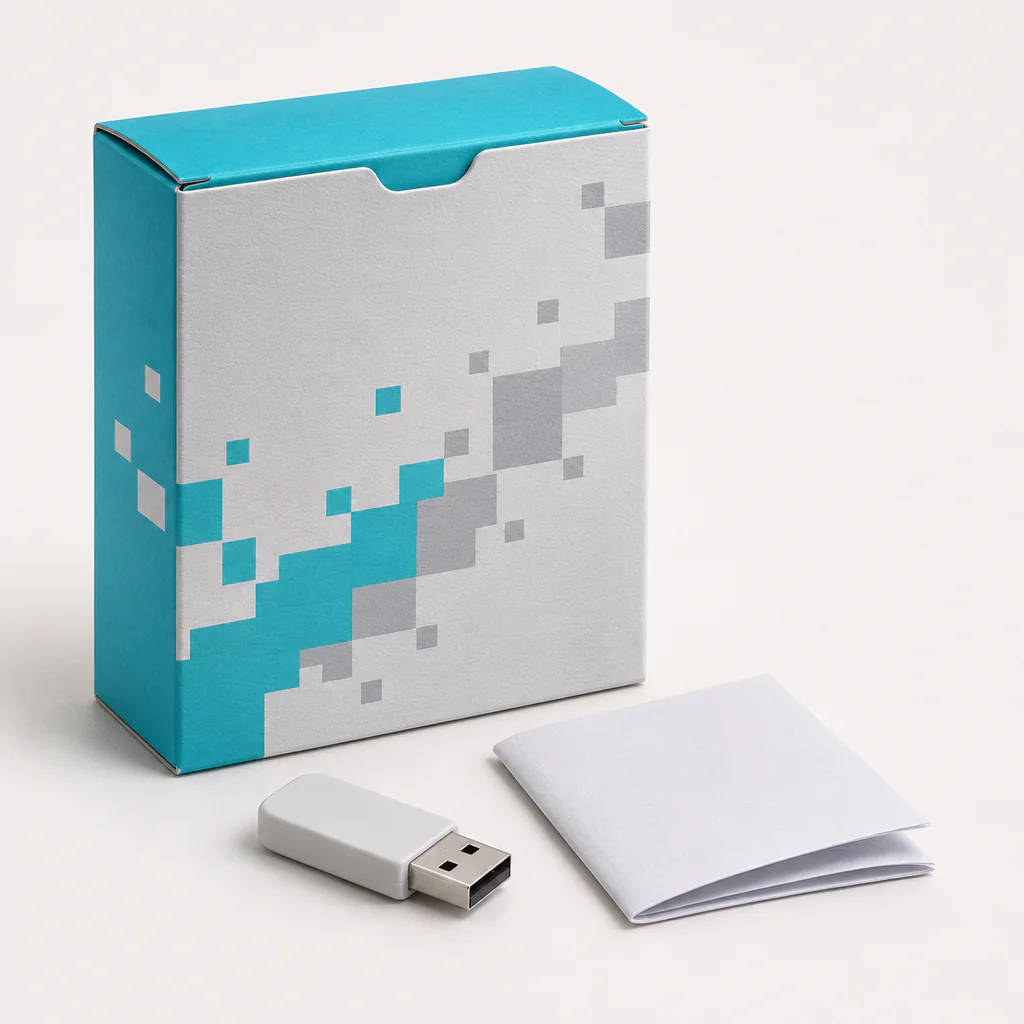
Shallow printed retail carton with an internal pocket
Separate the drive from printed inserts and orient the activation information to be seen on opening.
Electronics Packaging
A software box is made to fit a software code kit with printed instructions or a USB drive. One construction option is a shallow printed retail carton with an internal pocket.
From $0.79 per box
Price for 1 box at 5.5 × 4 × 0.9 in (140 × 102 × 23 mm), in Printed folding paperboard, with full-color digital print on the outside.
| Quantity | Per box | Total |
|---|---|---|
| 1 | $0.79 | $0.79 |
| 100 | $0.79 | $79.00 |
| 250 | $0.79 | $197.50 |
| 500 | $0.79 | $395.00 |
| 1,000 | $0.79 | $790.00 |
| 2,500 | $0.79 | $1,975.00 |
| 5,000 | $0.79 | $3,950.00 |
Custom printed boxes sized for a software code kit with printed instructions or a USB drive.
Separate the drive from printed inserts and orient the activation information to be seen on opening.
Physical software boxes are now mostly used for gift cards, license keys, training kits and devices that ship with a USB drive. The carton keeps a code card, a drive and a short printed guide together and in order, so the activation code is the first thing seen when the box opens. A thin internal pocket holds the instructions flat. Retail software boxes still need a clear front with the product name and system requirements on a side or back panel, written in a size that is easy to read on a shelf.
Our custom software boxes are part of the retail and shelf packaging range alongside our custom product boxes. Compare all 236 custom box types, or see how Custom Boxes makes printed packaging from one box.
Reverse tuck end · RTE
The standard construction for custom software boxes is the reverse tuck end (RTE). Top and bottom tuck flaps close from opposite faces, so the carton prints and glues in one pass. It suits cosmetics, supplements and light retail products.
Separate the drive from printed inserts and orient the activation information to be seen on opening.
| Box style | Reverse tuck end (RTE) |
|---|---|
| Print methods | Digital CMYK, Offset litho, Flexographic spot color |
| Finishes for this box | Full-color exterior print, Matte or gloss finish where compatible with the board and folds |
| Minimum order | 1 box per size and artwork |
| Digital proof | Within 24 hours of receiving artwork |
| Production time | 8–12 business days after artwork approval |
| Shipping | Free standard shipping across the US, 3–6 business days, tracked |
| Returns | Free returns within 21 days of delivery |
Every order is cut to your inside dimensions, so treat these sizes as starting points.
| Inside size (L × W × D) | What fits |
|---|---|
| 5.5 × 4 × 0.9 in (140 × 102 × 23 mm) | Starting point for a software code kit with printed instructions or a USB drive. Confirm fit with a packed sample. |
| 4.5 × 3.25 × 0.75 in (114 × 83 × 19 mm) | Compact size: a software code kit with printed instructions or a USB drive, travel or sample size |
| 7 × 5 × 1.25 in (178 × 127 × 32 mm) | Larger size: a software code kit with printed instructions or a USB drive with an insert or extra room |
| 5.5 × 4 × 1.75 in (140 × 102 × 44 mm) | Double depth: a software code kit with printed instructions or a USB drive, two layers deep |
Use the finished card with any covering or envelope in place. A folded edge can add depth at one corner. Set it in the intended pocket and check whether it stays flat when the box is closed. Leave a free edge so the recipient can lift the card without pulling on another insert.
If a drive is included, give it a separate channel with a grip near the body. Keep the connector and any swivel end clear. Turn the closed pack on its side and see whether the drive can move into the card pocket.
Lay out the guide and code card in the order a buyer will use them. A separate note can direct them to the next piece if the guide sits underneath the tray. Use a folded sample to check that the instructions are readable before the buyer takes anything out.
For a kit used in a classroom or training session, check whether a name or version can be added at handoff. Keep a plain area for that information on a permanent panel. The opening should still work after the label goes on.
Compare two versions side by side in the shop or stock tray where they will sit. Make the edition name easy to read from the short face if the main panel is hidden. Give the packing team a reference that shows which printed guide belongs with each version.
Before approving the print, try closing the sample with the longest guide or deepest drive included. Check that no flap presses against the code card. If a group of kits shares a parcel, set them in the intended order and check that the outside labels remain visible while they are counted.
Separate the drive from printed inserts and orient the activation information to be seen on opening.
Open a packed sample and check that the activation code or drive is visible straight away, without lifting other inserts.
Test that thin instructions cannot slide under the tray or into an end flap.
Still deciding? The custom box FAQ answers the questions buyers ask most before ordering. Total an order with the packaging cost calculator, or compare formats on the custom box price list.
Pricing for custom software boxes starts at $0.79 per box for 1 box at 5.5 × 4 × 0.9 in (140 × 102 × 23 mm), in Printed folding paperboard, with full-color digital print on the outside. The listed price is per box, in the standard specification, at any listed quantity. Larger runs, other boards and finishes are quoted.
After you send artwork, a digital proof comes back within 24 hours, and design help on the dieline is free. Production of custom software boxes takes 8–12 business days once the proof is approved. Standard shipping across the US is free and takes 3–6 business days, with tracking.
For production runs in the thousands, see wholesale custom boxes, compare every format on the custom box price list, or request a quote for custom software boxes.